70s Photo Filter
The faded 1970s snapshot on your actual photo: warm amber colour, soft detail, blacks gone grey with age. Nothing uploaded.
No photo? Try a sample
Presets in this editor
70s Print
Loads automatically on this pageHeavily faded amber print: washed-out blacks, low saturation, soft detail, dark corners.
The exact values this preset sets, so you can rebuild or tweak it by hand:
iPhone 4
Soft edges, gentle grain, slightly warm 2010s smartphone vibe.
Grain 38 · Softness 32 · Vignette 18
Warm Digicam
Golden-hour point-and-shoot warmth with punchy colors.
Grain 28 · Softness 18 · Warmth 66
Cool CCD
Cleaner, slightly cool vintage sensor feel (subtle green/cyan lean).
Grain 22 · Softness 14 · Aberration 12
Flash Pop
Harsh highlights + glow like a built-in flash at night.
Bloom 20 · Grain 18 · Contrast 60
Soft Nostalgia
Dreamy, faded, warm — heavy softness + bloom for a nostalgic vibe.
Softness 48 · Grain 30 · Bloom 26
2000s Y2K
Warm, faded early-digicam color with soft grain and a gentle vignette.
Grain 30 · Fade 18 · Softness 16
Disposable Flash
Hard close-flash glow, warm grain, casual single-use snapshot energy.
Grain 26 · Bloom 24 · Softness 12
Huji-Style
Warm flashed glow with grain, made for the corner date stamp.
Grain 29 · Softness 14 · Bloom 14
Dazz-Style
Cool CCD glow with extra bloom and old-sensor color fringe.
Grain 22 · Bloom 14 · Aberration 13
Kodak Gold
Golden film warmth with soft skin tones and fine grain.
Grain 22 · Warmth 63 · Softness 12
35mm Film
Fine grain and restrained, true-to-life analog color.
Grain 25 · Softness 14 · Vignette 8
Film Grain
Fine, even film texture over otherwise natural color.
Grain 35 · Softness 10 · Fade 10
Lomo Punch
Dark toy-camera vignette with loud, punchy color.
Vignette 30 · Grain 23 · Saturation 62
Vintage Fade
Old-print warmth with lifted blacks and darkened corners.
Grain 28 · Fade 21 · Softness 20
Polaroid
Washed instant-film fade with gentle warmth and a soft glow.
Softness 22 · Fade 21 · Vignette 20
80s Print
Faded drugstore-print colour: warm, pink-leaning, low contrast, soft grain.
Grain 32 · Fade 26 · Softness 24
90s Snapshot
Point-and-shoot flash, coarse film grain, punchy lab colour, neutral warmth.
Grain 34 · Bloom 18 · Softness 12
Matcha Latte
Soft matcha green: pale soft highlights, a green-olive cast, gentle haze, clean detail.
Tint 80 · Softness 22 · Grain 18
Frequently Asked Questions
An edit that makes a modern photo look like a 1970s snapshot as it survives today: heavily faded, warm and amber, low in colour, a little soft, with darker corners. The 70s Print preset here does all of that in one tap, on the photo you already have, without redrawing anything in it.
Load it here and the preset does most of the work. If it still looks too fresh, push Fade up and Saturation down a little more. A daylight photo outdoors or a room lit by warm lamps suits it best. For the shape, choose the 1:1 crop in Photo Tools, since many snapshots of the decade came from cameras that shot square frames.
Mostly age, and partly the light they were taken in. A colour print holds its picture in dyes that fade unevenly over the decades, and ageing prints can also pick up a yellowish stain, so a print from the 1970s has had fifty years to lose its blacks and drift warm. Indoors, household bulbs photographed on film made for daylight came out orange from the start. Aged prints vary a lot, pinker in some albums and more amber in others; this preset goes for the amber end.
Both copy an old print, so they overlap. The 70s Print preset is the older-looking of the two: the most faded and least saturated preset on the site, with its colour leaning amber. The 80s Print preset is a little crisper and leans pink instead. If a result looks too washed out, try the 80s one on the same photo.
Yes. Kodak Instamatic cameras on 126 film shot square frames, so square prints are a strong 70s cue. Choose 1:1 under Crop & rotation, adjust the position, and apply the look.
Usually, leave it off. A few cameras could already print a date onto the film in the 1970s, but they were uncommon, and a typical snapshot of the decade has no date on its face; the orange date most people picture is a later look. If a date is part of the memory, write it on the back like people did.
No. Everything runs in your browser, so the photo never leaves your device, and there is no limit on how many you run through it.
About This Tool
The 70s photo filter look is the one from the oldest album in the house: a snapshot that has spent fifty years fading, its blacks turned grey, its colour gone warm and amber, the detail a little soft and the corners a little dark. This page puts that look on a photo you already have, without redrawing anything in it.
Load a photo and the 70s Print preset applies on its own. It is the most faded and the least saturated preset on the site, and the warmest, with a slight green lean in Tint that turns the warmth amber rather than pink. Fade, Warmth, Saturation and Vignette are the sliders that carry it, and the recipe further down gives a range for each.
Whatever you call it, 70s filter, 70s camera filter, 1970s photo effect or a retro 70s photo, the searches point at this same faded snapshot, and the editor lets you push any part of it further than the preset does. For the look this site gives the decade after, a little crisper and leaning pink rather than amber, the 80s photo filter is the closer match.
It runs entirely in your browser on phones and desktops, free, with no sign-up and no watermark. Export at up to 4096px on the longest edge, or resized for social.
What made a photo look 70s
The typical 70s snapshot came from a simple camera on small-format film and has spent half a century in an album since. Four things about that are what the preset copies, and knowing them tells you which slider to reach for when a result is close but not there.
1Small film, simple lenses
A great many family snapshots of the decade came from Kodak Instamatic cameras loading 126 cartridges, and from 1972 from pocket cameras on the much smaller 110 film. Small negatives enlarged onto a print lost fine detail, and simple lenses let less light reach the edges of the frame, so the corners fell off into shadow. The preset carries the first with some Softness and the second with a Vignette of 22.
2Fifty years of fading
A 1970s print has had longer to age than anything else on this site, and it shows: the blacks have lifted to grey, the colour has thinned, and many prints have picked up a yellowish stain. That is why the preset has the most Fade and the least Saturation of any here, at 30 and 40.
3Warm light indoors
Colour film for snapshots was balanced for daylight, and indoors without flash the light usually came from ordinary household bulbs, which render orange on that film. So a lot of 70s indoor photos were warm before they had aged a day. The preset’s Warmth of 70 is the highest on the site.
4Amber rather than pink
Aged prints from the 70s and 80s can drift either way, pinker in one album and more amber in another. This preset goes for the amber end people usually picture when they say a photo looks 70s, with a slight green lean in Tint that turns all that warmth yellow. The 80s preset takes the pink end.
If a result looks too washed out, back Fade off towards 26 before touching anything else. If it looks sunburnt rather than old, the fix is Warmth down a few points, not Saturation up.
Making it read as 70s rather than just faded
Colour gets you most of the way. The rest comes from the photo you start with.
1Crop to a square first
Instamatic cameras on 126 film shot square frames, and square prints are one of the strongest 70s cues there is. Choose 1:1 under Crop & rotation in this editor, then use the position sliders to keep your subject in the frame.
2Choose daylight or lamplight
A bright outdoor photo or a room lit by warm lamps suits the look. A photo lit by cool white LEDs or a screen fights it, and the result tends to look like a modern photo with a colour cast.
3Let the scene do some of the work
Colour cannot change what is in the frame. Wood, brown and orange fabrics, plants, a garden or a beach all read as the decade; a phone in someone’s hand or a flat-screen on the wall undoes it.
4Keep the date off the picture
A few cameras could already print a date onto the film in the 1970s, but they were uncommon, and a typical snapshot of the decade has none on its face. If the date matters, it belongs on the back of the print, where people wrote it.
The 70s next to the decades around it
The 80s photo filter is the closest neighbour: the same kind of print a decade younger, with a preset that is a little crisper and leans pink. The 90s camera filter is a different animal, a fresh flash snapshot with the orange date on. And if the photo you have in mind was an instant print rather than a lab print, the Polaroid filter is the one to try; Polaroid’s SX-70, launched in 1972, is the camera most people picture.
For ageing a photo by hand, slider by slider and decade by decade, the make a photo look old page walks through the method.
See the difference

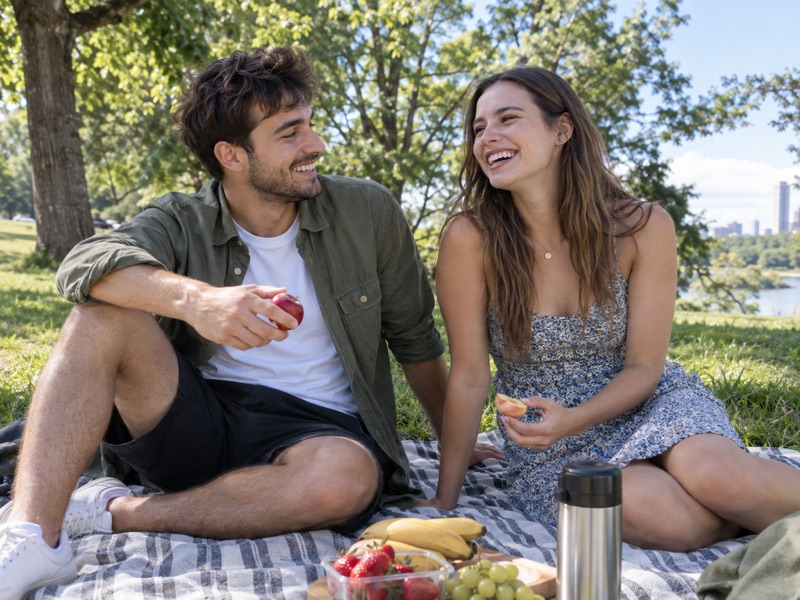
How to get the 70s photo look
- 1
Load your photo
A daylight photo outdoors or a room lit by warm lamps works best. It stays in your browser.
- 2
Start from 70s Print
The preset applies on its own: heavy fade, warm amber colour, low saturation, soft detail and darker corners.
- 3
Age it further, then export
More Fade and a little less Saturation make it look older still. Then download.
A 70s print recipe
Building it by hand? These six sliders behave the same on every device. The rest of the preset, the soft detail from Softness, the amber lean from Tint and the tone from Highlights and Shadows, needs WebGL, which almost every browser has. On the rare fallback renderer you get the fade, warmth, colour, grain and dark corners without those.
70s vs the other retro looks
The 70s look is the most aged print on the site: more faded and less colourful than anything else here, warm with an amber lean. The 80s look is the same kind of print a decade younger, a touch crisper and leaning pink. Vintage Fade is a gentler, general old-photo look with less fade and more colour, and Polaroid is an instant print, washed but closer to neutral.
How to make phone photos look like film
A 70s snapshot is a film print. What film does to a picture, and how to rebuild it on a phone photo.
Try another look
Not after a whole look? You can also age the photo further or darken just the corners. The rest are on the tool list.